
RepairBuddy - AI Fix
Dijital ElmaProductivity
4.6318.00 Reviews
- Version
- 22
- Installs
- 500.00K
- Age Rating
- Everyone
Screenshots
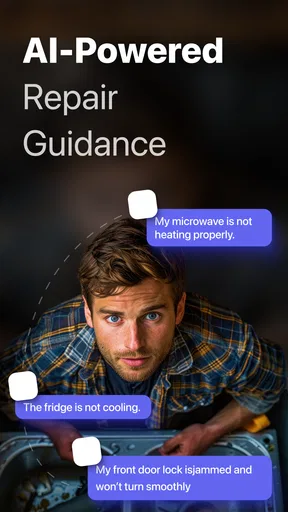

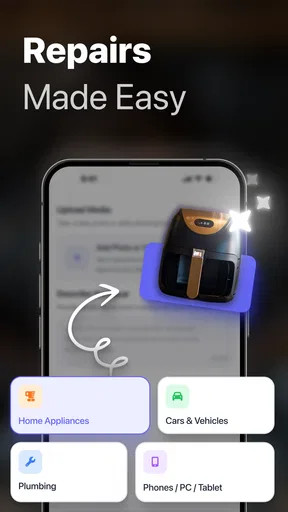
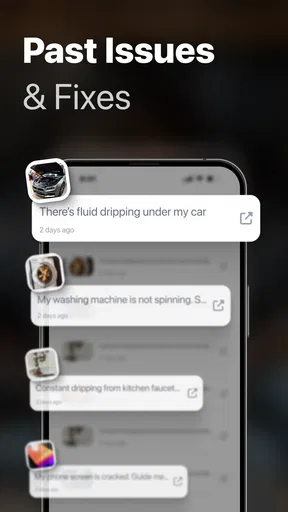
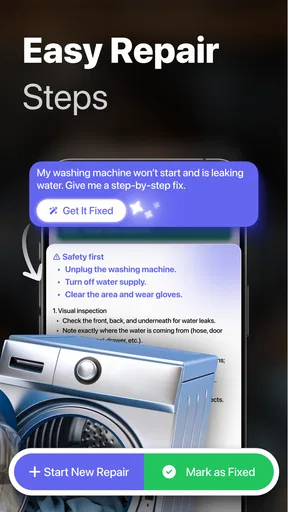
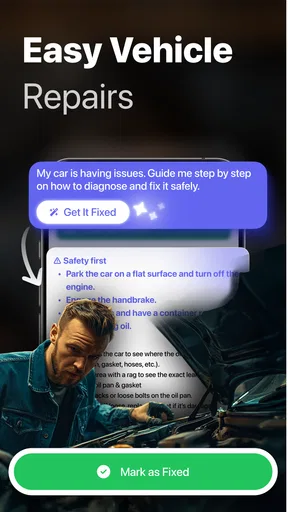

Our Review of RepairBuddy - AI Fix
 Analysis by Appyee
I approached RepairBuddy - AI Fix as the kind of tool I would keep nearby when something ordinary stops working and I do not immediately know where to begin. It is a free productivity app from Dijital Elma, built around AI-guided, step-by-step help for repairing everyday items. That sounds simple, but the real question is whether the guidance is understandable when I am already holding a loose screw, looking at an unfamiliar part, or trying to work out whether a repair is safe to attempt.
My overall impression is that the app is most useful as a calm first stop between “I have no idea what this is” and “I need a specialist.” It can help turn a vague problem into a sequence of checks, which is valuable for small household fixes and basic troubleshooting. At the same time, I would not treat an AI guide as a substitute for proper training, an official service manual, or professional help with electricity, gas, structural damage, batteries, or anything that could cause injury. The app’s usefulness depends heavily on how clearly I describe the problem and how carefully I judge the advice.
How clearly the app supports different users
I find RepairBuddy most useful when I treat it as a starting point for different levels of repair experience, rather than assuming one set of instructions will suit everyone. A confident DIY user can use it to organize troubleshooting, while a beginner may need shorter explanations and extra checks before touching a part. That distinction also helps clarify where the app’s flexible guidance ends and where a manual, another person, or a professional becomes the better next step.
Readability and navigation in a repair situation
The biggest accessibility test for a repair app is not whether it looks tidy while I am sitting comfortably at a desk. It is whether I can follow it when my attention is divided between the screen and the object in front of me. RepairBuddy’s step-by-step concept is a good fit for that situation because it encourages a sequence rather than presenting one large block of technical explanation. I find that approach easier to use when I need to pause, inspect a component, and return to the next instruction.
For someone who is new to repairs, the wording matters more than specialist vocabulary. A useful guide should explain what to look for before telling me what to remove, press, disconnect, or replace. I recommend reading the whole set of instructions once before touching the item. That small habit helps reveal whether the task involves tools, power isolation, fragile clips, or a point where the guide depends on identifying a part correctly.
I also found that the app works best when I treat each answer as a working hypothesis rather than a final diagnosis. If I enter “lamp stopped working,” the possible causes are broad. The result becomes more useful when I add details such as whether the switch feels normal, whether the bulb was recently changed, and whether other devices on the same circuit work. The quality of the guidance begins with the quality of the description. This is especially important for users who find open-ended writing difficult or who are unsure which details are relevant.
A practical workflow is to prepare the information before opening the repair guide. I note the item’s brand and model if visible, describe the exact symptom, and separate what happened from what I have already tried. For example, “the fan hums but the blades do not turn” is more useful than “the fan is broken.” This reduces unnecessary back-and-forth and makes the instructions easier to evaluate.
The app is rated at 4.6 on average, with around 65 thousand ratings, and it has passed the half-million-install mark. Those figures suggest that the basic idea has reached a substantial audience, but they do not tell me whether every repair category will be equally clear. I would still judge an answer by its specificity, safety warnings, and fit with the object in front of me rather than by popularity alone.
Motor and sensory considerations
Repair tasks can be physically demanding even when the instructions are excellent. I may need both hands to hold a cover and a tool, keep a small part from rolling away, or maintain pressure while checking the screen. That creates a practical limitation for users with limited hand strength, tremors, reduced dexterity, or pain. RepairBuddy can organize the task, but it cannot remove the need to manipulate the object.
I suggest using the app before beginning the hands-on work, not after the item is already disassembled. I can read the sequence, gather the tools, turn off power where appropriate, and place a container nearby for small parts. This matters for anyone who needs more time between steps or who cannot safely keep one hand on a device and the other on a phone. It also makes the experience less stressful for users who benefit from predictable preparation.
Small components create another barrier. Screws, clips, labels, and wiring can be difficult to distinguish for people with low vision or color-vision differences. A text instruction that says “disconnect the blue wire” may be less useful than one that identifies the connector’s position or shape. When the guidance relies on visual identification, I would verify the part using more than color alone. A magnifier, brighter work light, or a second person’s confirmation may be sensible additions.
Users with hearing differences may find a text-led repair explanation more convenient than a video-only tutorial, because written steps can be reviewed at their own pace. Conversely, users with reading difficulties may prefer short instructions, familiar words, and one action at a time. I would not assume that an AI-generated answer automatically meets either need. If a response becomes dense, I would ask the app to simplify the steps, define a technical term, or separate diagnosis from repair. That kind of conversational adjustment is one of the more promising uses of an AI repair assistant.
People with cognitive disabilities, attention difficulties, or memory challenges may benefit from turning the repair into a checklist. I would copy or rewrite each action in plain language and mark the point where I stopped. I would also keep removed parts arranged in the order they came out. This is not a special feature I would attribute to the app; it is a user-created method that makes its sequential guidance more manageable and reduces the chance of losing track.
Situational access at home, outdoors, and on the move
RepairBuddy makes the most sense in situations where I need immediate orientation. Imagine a kitchen drawer that no longer closes properly. I can describe that the front is tilted, the runners are still attached, and the drawer catches on one side. A useful response may help me inspect alignment, fasteners, or an obstruction before I start replacing parts. The advantage is not that the app magically fixes the drawer; it helps me ask better questions and avoid randomly tightening everything.
Another realistic case is a loose chair handle or a cabinet hinge that has started slipping. I can use the app to identify what information matters, then compare the suggested sequence with what I can physically see. For a beginner, that is more approachable than searching through long forum threads where several different models and assumptions are mixed together.
The phone itself can become a situational barrier. I may be in a dim utility area, wearing gloves, dealing with dust, or unable to touch the screen safely. In those conditions, I would study the instructions first and keep the device away from the immediate work area. If I need to consult it repeatedly, I would place it somewhere stable and clean rather than balancing it on the item being repaired. This is a simple but important distinction: an app can be easy to navigate and still be awkward to use during physical work.
Connectivity and environmental distractions can also affect the experience. I would not begin a complicated repair in a noisy, rushed setting where I cannot reread the instructions or check a warning. For a quick, low-risk adjustment, that may be fine. For anything involving mains electricity, heat, moving machinery, pressurized parts, or sharp edges, the right choice is to stop and create a controlled workspace—or choose a qualified technician instead.
The app is available to a broad audience because it is free to start and carries an Everyone age rating. However, “suitable for everyone” should not be confused with “every repair is suitable for everyone.” A child may be able to read a simple explanation, but that does not mean they should handle tools, electrical components, chemicals, or heavy objects without appropriate adult supervision. The same principle applies to older adults and anyone who needs assistance with the physical part of a task.
Where the app still leaves barriers
The central weakness is the uncertainty that comes with AI-generated troubleshooting. A confident-sounding sequence can still be wrong if the item is misidentified, if a symptom has several causes, or if a previous repair has altered the device. I look for signs that the answer recognizes uncertainty: requests for model details, checks before disassembly, and clear stop conditions. If those are missing, I become much more cautious.
There is also a difference between explaining a repair and proving that the repair is appropriate. An official manual usually reflects a specific product design and may include exact warnings, part diagrams, and service limits. A repair technician can notice damage that I would overlook. A general AI guide may be more convenient, but convenience is not the same as authority. I prefer RepairBuddy for early diagnosis and simple maintenance, while I would choose manufacturer documentation or professional service for expensive, hazardous, or warranty-sensitive items.
Users who need highly precise visual guidance may find text-based assistance insufficient. A sentence can tell me to release a retaining clip, but it may not show where the clip is or how much force is reasonable. If I cannot identify the part confidently, I should not keep pushing simply because the next step says to do so. Asking for a clearer explanation can help, but there are moments when a photograph, model-specific diagram, or expert inspection is the better tool.
Cost can become another consideration. The app itself is free, while optional in-app purchases range from $1.99 to $39.99 per item. I would pay attention to what I am being offered before confirming anything and decide whether the extra help is worthwhile for the particular repair. For a low-value household object, a free explanation may be enough. For a complex problem, paying for guidance still does not remove the need to verify safety or accuracy.
The current version is 22, and the app supports devices running Android 7.0 or later. That makes it accessible to people using older Android hardware, although the physical experience will still depend on the phone’s screen, battery condition, camera, and general responsiveness. Someone using a very small display may have a harder time reviewing long instructions, while a newer phone may be more comfortable for reading and keeping the device visible at a distance.
I would also avoid using the app as a way to justify repairing something that should be replaced. A damaged power cable, swollen battery, cracked pressure vessel, gas smell, exposed wiring, or unstable furniture is not an invitation to experiment. In those cases, the most accessible instruction is often the simplest one: stop, isolate the hazard if it is safe to do so, and get qualified help.
How it compares with familiar alternatives
Compared with a web search, RepairBuddy offers a more focused starting point. Search results often mix professional guides, old discussions, advertisements, and instructions for similar but incompatible models. The app’s conversational approach can help narrow the problem before I spend time opening several pages. The trade-off is that a search may lead me directly to an official manual or a detailed repair community post, which can be more reliable for a specific product.
Compared with a video tutorial, the app is potentially better when my item does not match the video exactly. Videos are excellent for seeing hand positions and the order of disassembly, but they can be difficult to pause, scan, or adapt when the presenter has a different model. RepairBuddy is more flexible in conversation, yet it may not provide the visual demonstration I need for a hidden clip or delicate mechanism.
Compared with a local repair professional, the app is cheaper and immediately available for basic questions. It is also less capable of detecting subtle physical damage and cannot take responsibility for the result. My rule is straightforward: use the app to understand a small problem, prepare for a repair, or decide whether the task seems manageable; use a professional when the consequences of being wrong are serious.
Who will benefit, and who should skip it
I think RepairBuddy is a good match for renters, students, first-time DIY users, and anyone who regularly encounters small household problems but does not know the correct terminology. It is especially helpful for turning a vague complaint into a structured inspection. People who enjoy learning by asking follow-up questions may get more from it than users who want a single guaranteed answer.
I would recommend caution for users working on high-voltage equipment, gas appliances, medical devices, safety-critical machinery, or valuable electronics. The app may help explain a symptom, but those areas demand model-specific procedures and appropriate qualifications. I would also skip it as the main resource if I need exact torque values, certified safety procedures, or a parts list that must be guaranteed to fit.
For users with access needs, the app is best viewed as a flexible information aid rather than a complete accessibility solution. Its step-by-step format can support slower pacing, plain-language clarification, and advance preparation. Physical limitations, visual ambiguity, environmental conditions, and the need for precise diagrams still require additional tools or another person’s help.
My inclusive verdict
After using RepairBuddy as a guide for everyday troubleshooting, I see its strongest quality in the space between helplessness and overconfidence. It can make a repair feel less mysterious, especially when I provide a careful description and ask it to explain one decision at a time. That is meaningful for people who have been excluded from DIY tasks by jargon, intimidating manuals, or scattered online advice.
Its limits are just as important. AI guidance should be checked against the object, the manufacturer’s instructions, and common-sense safety boundaries. Users who need visual demonstrations, exact model-specific procedures, or hands-on support may find a manual, tutorial, repair group, or professional more suitable. The app does not remove physical or sensory barriers, but it can help me plan around them by letting me prepare the sequence before I begin.
With over 500 thousand installs, a free entry point, and a productivity focus that is refreshingly practical, RepairBuddy - AI Fix is worth trying for low-risk household repairs. I would keep it as a first-pass assistant, not a final authority. My best tip is to use it before opening anything: describe the symptom precisely, ask for a plain-language checklist, identify the stop points, and only then decide whether the repair is safe and realistic for me. Used that way, RepairBuddy - AI Fix can make everyday problem-solving more approachable without pretending that every problem belongs in an app.
Verdict
Strengths of RepairBuddy - AI Fix
- AI guidance can help identify likely causes of common device problems.
- Step-by-step instructions are easier to follow than searching through forums.
- Useful for quick troubleshooting before contacting a repair professional.
- May help users understand repair terminology and recommended solutions.
- Convenient mobile access for diagnosing issues wherever you are.
Limitations of RepairBuddy - AI Fix
- AI suggestions may be inaccurate for unusual or complex hardware faults.
- Some repairs require tools, skills, or parts not available to beginners.
- Following incorrect instructions could cause additional device damage.
- App usefulness depends on the quality and detail of your problem description.
- It cannot replace professional inspection for safety-critical repairs.
Similar Picks in This Category
View All
Google Calendar
Google LLC4.6

Google Drive
Google LLC4.3

Google Assistant
Google LLC3.9

Microsoft OneDrive
Microsoft Corporation4.6

Samsung Calendar
Samsung Electronics Co., Ltd.4.1

Microsoft OneNote: Save Notes
Microsoft Corporation4.6
Frequently Asked Questions
What is RepairBuddy - AI Fix, and what can it do?
RepairBuddy - AI Fix is designed to help users troubleshoot everyday problems with AI-guided suggestions. Depending on the issue you describe, it may provide possible causes, step-by-step checks, maintenance advice, or recommended next actions. It is best viewed as a convenient first troubleshooting resource rather than a replacement for a qualified technician, especially when the problem involves electricity, gas, vehicles, structural damage, or other safety-sensitive equipment.
Is RepairBuddy - AI Fix suitable for beginners?
The app is generally aimed at users who want clear, practical guidance without needing advanced technical knowledge. Its conversational format can make it easier to explain a problem and follow suggested steps at your own pace. However, the usefulness of each answer depends on how accurately you describe the issue and provide relevant details. Beginners should stop whenever a repair appears risky, complicated, or requires specialized tools.
Can RepairBuddy - AI Fix accurately diagnose every problem?
No app can guarantee a correct diagnosis for every situation, and RepairBuddy - AI Fix should not be treated as infallible. AI-generated guidance may be incomplete, misunderstand your description, or suggest several possible causes instead of identifying one definite fault. Before following any recommendation, check the information carefully and compare it with the device manual or trusted professional advice. Always prioritize safety over completing a repair.
Does RepairBuddy - AI Fix require an internet connection or personal information?
AI-powered troubleshooting apps commonly need an internet connection to process questions and return responses, so some features may not work fully offline. Before using the app extensively, review its current privacy policy and permissions to understand what information may be collected, stored, or shared. Avoid entering passwords, payment details, private documents, or sensitive personal information unless the app clearly explains how that data is protected.
Is RepairBuddy - AI Fix free to download and use?
The app may be available to download without an upfront charge, but users should check the current store listing for the exact pricing model. Some features can be limited by subscriptions, in-app purchases, usage credits, advertisements, or a trial period that later renews automatically. Read the payment terms carefully before starting a trial, and confirm cancellation procedures if you decide the premium features are not worthwhile.
